EDR Broadcast Academy
The Complete iRacing Broadcasting Guide
Learn the whole production, from your first OBS scene to multiclass timing, remote commentary, incidents, replays and 24 hour crew handovers. Built by an iRacing team that needed the tools for its own broadcasts.
Choose Your Path Download EDR BroadcastLearning paths updated 6 September 2026
Every comparison is dated, competitor claims link to official sources and EDR beta limits are stated where they matter. These guides are written to be useful even if you choose another tool.
Stream, customise and learn in your language
Stream to Kick, YouTube or TwitchConnect OBS to your destination, set up the live audio mix and check the actual viewer feed.Build a custom EDR themeUnderstand League and Enterprise authoring, create a consistent graphic package and rehearse it in OBS.Produce an oval racePlan scoring pylons, caution information, restarts and the graphics that explain an oval event.
Choose your path
I have never broadcast iRacing
Read How to Broadcast iRacing with OBS, then follow the browser-source setup guide. Build a private test before adding more tools.
I run a league and need a repeatable show
Start with the professional league broadcast guide, choose software from the 2026 comparison, then assign the crew.
I am comparing EDR with ATVO or SDK Gaming
Use the dedicated ATVO comparison and SDK Gaming comparison. Both name where the competing product is the better choice.
I keep missing crashes and battles
Read the Auto-Director guide and the incident and replay workflow. Test the full loop, not only camera switching.
I am planning a multiclass endurance broadcast
Use the multiclass production guide and the 6, 12 and 24 hour setup, then write crew handovers.
My crew is remote
Build the remote role and permission model, then give commentators the right timing screen.
Start here
BeginnerBroadcast iRacing with OBSCapture the simulator, add graphics, plan cameras and run the first dress rehearsal.
LeagueRun a professional league showBuild the brief, scenes, crew, replay loop, commentary path and race-night run sheet.
Industry viewWhy overlays are not the hard partEDR’s argument about operator workload and where iRacing production tools should compete next.
Choose the software and graphics route
2026 marketiRacing broadcast software comparisonEDR, ATVO, SDK Gaming, iSimBroadcaster, WTM, open source, JRT and RaceLab.
GraphicsChoose an iRacing overlay packageChoose by workflow, output route, readability, multiclass logic and the graphics viewers need.
Direct comparisonATVO alternative guideCompare visual theme building, NDI, browser sources, cameras, incidents, replay and price.
Direct comparisonSDK Gaming alternative guideCompare timing, HUD, streamer overlays, remote commentary and complete production control.
Understand the technical layer
Live dataHow iRacing SDK overlays workFollow the path from local session data to timing, derived logic and an OBS browser source.
OBSBrowser-source setup and troubleshootingCanvas sizing, layering, transparency, refresh behaviour and performance.
HardwareOne PC or two?Measure simulator, OBS render, encoder and browser-source load before adding capture or NDI complexity.
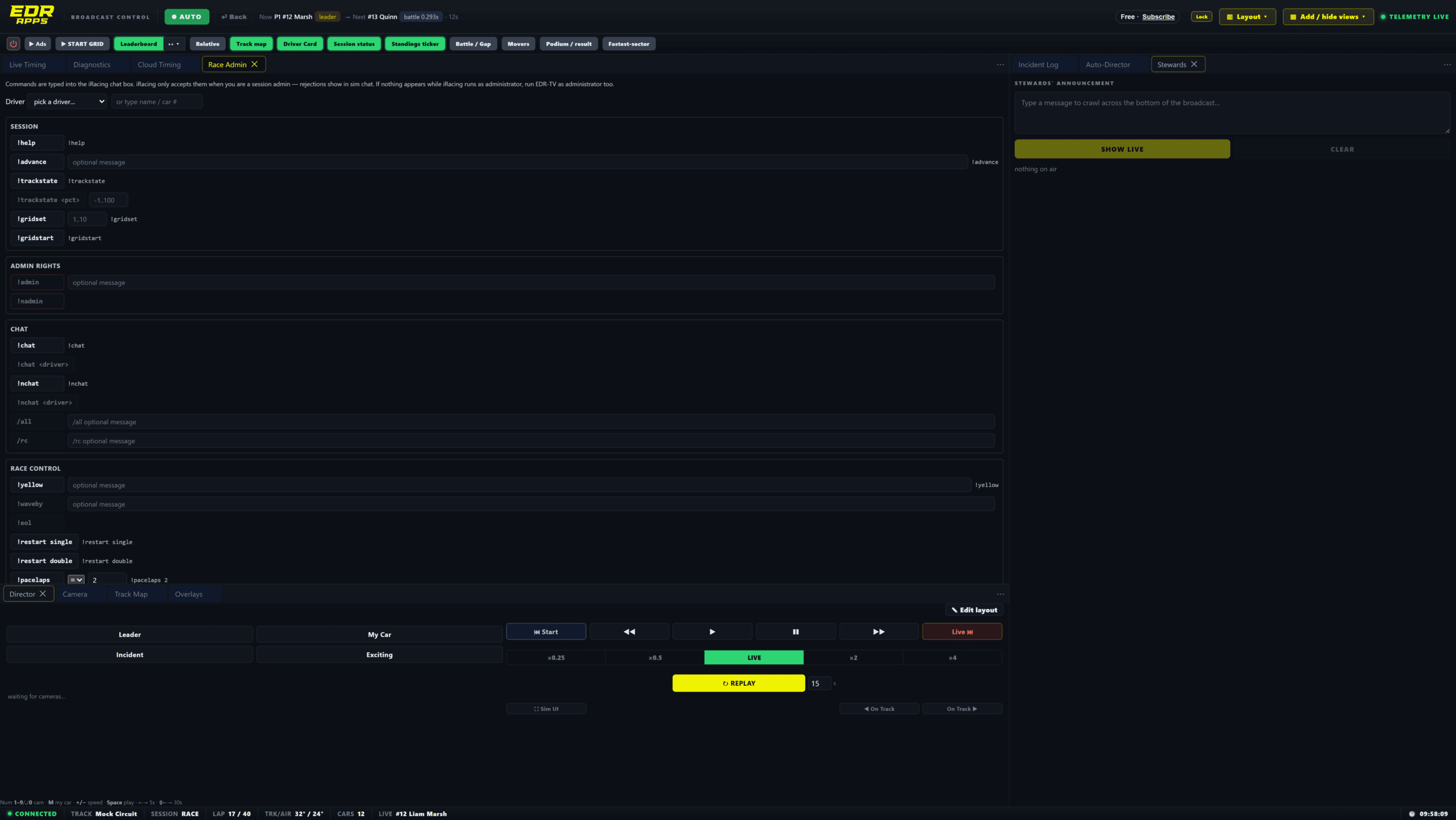
The Academy follows the whole production loop: data, story selection, viewer graphics, operator control and safe recovery.
Direct the race and recover missed moments
CamerasiRacing Auto-Director explainedBattle scoring, race-state awareness, shot pacing, anti-repetition and manual override.
ReplayReview incidents and return to liveWhole-field awareness, the incident log, replay timing, evidence language and return to live.
EnduranceBroadcast multiclass racing clearlyClass position, traffic, pit cycles, camera priorities, track maps and commentary language.
Build the distributed crew
TimingLive timing for every roleDifferent views for viewers, commentators, producers, stewards and teams.
CommentaryWhat commentators need on screenFacts, gaps, pit state, driver identity, incident cues, programme delay and talkback.
Remote productionRun a remote iRacing crewHost authority, scoped controls, acknowledgements, role matrix and disconnection tests.
Long events6, 12 and 24 hour broadcast setupShift rosters, remote handovers, OBS scenes, replay, quiet periods and performance headroom.
The EDR learning standard
Useful before persuasive: Every guide must solve a race-night problem without requiring the reader to buy EDR.
Dated claims: Competitor features and prices change. Comparison pages state when they were reviewed and link to official sources.
No fake neutrality: We identify ourselves as the EDR team and name cases where another product fits better.
No invented benchmarks: Performance, conversion or accuracy numbers require a real test. We publish methods when the result depends on the user’s system.
Safe operating advice: Beta tools, remote access, replay and race control need rehearsals, fallbacks and clear human override.
Readable on a phone: Use short decision paths and check that graphics remain understandable on the device many viewers actually use.
Frequently asked questions
Is the EDR Broadcast Academy free?
Yes. The guides are public. EDR Broadcast also has a permanent Free plan for the core graphics workflow.
Do I need EDR Broadcast to use the guides?
No. OBS, camera, commentary, multiclass and production principles apply to several tools. Product-specific steps are labelled.
Are the ATVO and SDK Gaming comparisons independent?
No. We build EDR. The pages disclose that, link to official competitor sources and recommend the competing tool where it is the clearer fit.
Where should a complete beginner start?
Start with the OBS broadcast guide, build one private scene, then add browser-source overlays. Do not begin with remote crew or a 24 hour runbook.
How often will the guides be updated?
Pages carry a reviewed date. Product, price and workflow claims will be revisited as the public beta and wider market change.
Can I suggest a correction or missing tool?
Yes. Use the contact page and include the official source. We will review factual corrections and relevant products.
Learn it, test it, then take it live
EDR Broadcast starts free. The 14-day Pro trial is started inside the app with no card and no automatic paid subscription.
Download EDR Broadcast Compare the Market