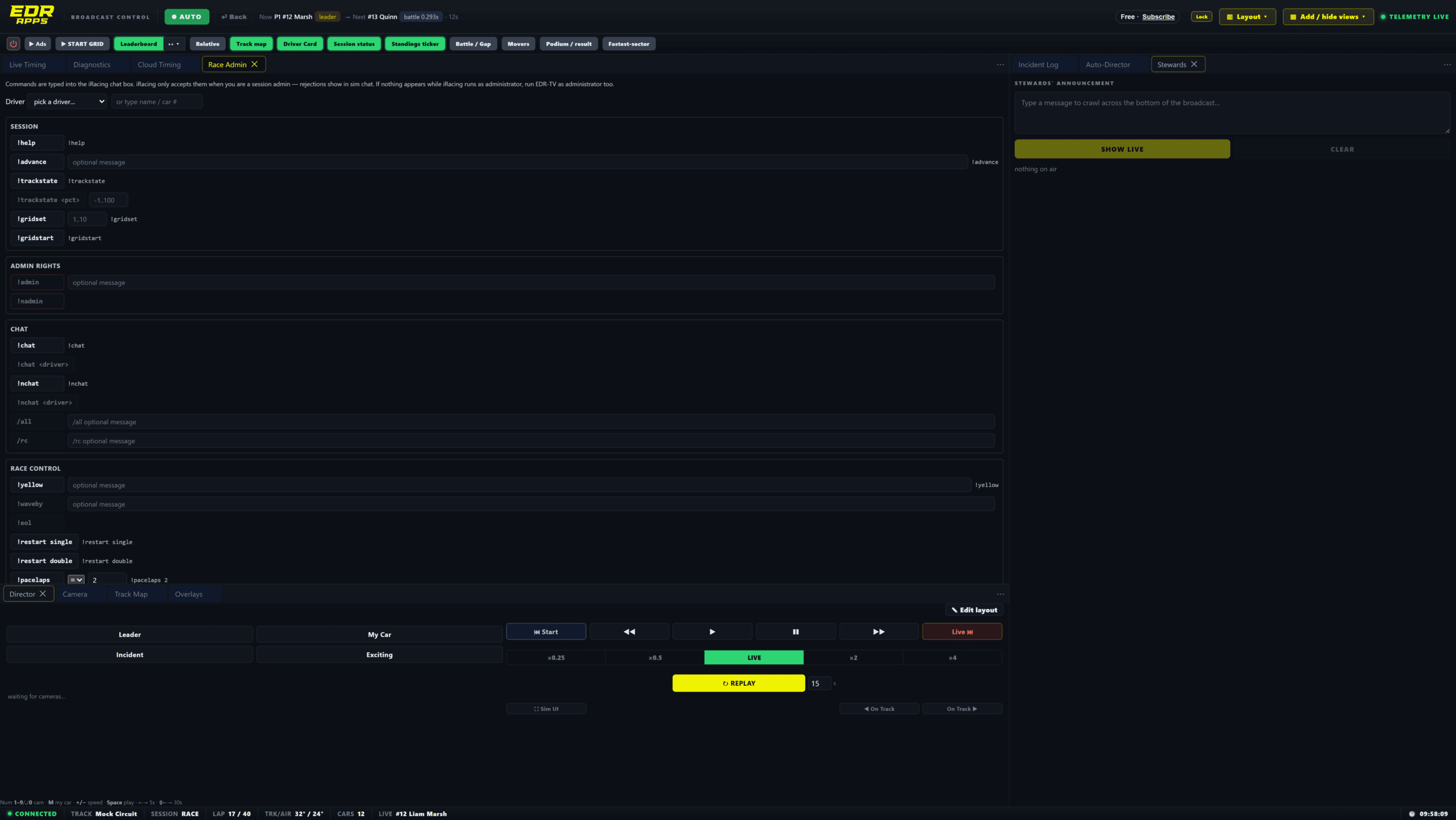
Automate your iRacing camera coverage with EDR Broadcast. Auto-Director follows battles, responds to incident signals and adjusts coverage as the race develops. Keep your attention on commentary and replays, with manual camera control whenever you need it.
Auto-Director is included with Pro. Start with the 14-day Pro trial, no card required. EDR Broadcast is currently in public beta.
Keep eyes on the race while Auto-Director handles the next camera choice.
How it works
An iRacing auto director that looks for the story.
A good race director is constantly weighing where the next moment will happen. EDR’s Auto-Director applies that same thinking across the field, while still leaving the operator in control of the broadcast.
1. Scan
Score the field continuously.
It weighs battle closeness, race position, class leaders, front-runners and pit action to find the part of the race that deserves the next shot.
2. Prioritise
React to a new moment.
Fresh incidents, a battle crossing its threshold or a lead change can interrupt the normal rotation, putting the broadcast on the action when it matters.
3. Direct
Let a real battle breathe.
Dwell time, cooldowns and anti-repetition logic help it stay with a good fight rather than bouncing away every few seconds or showing the same cars all race.
Race-aware direction
The race state changes the camera plan.
A quiet green-flag lap, a restart and the final laps should not be directed the same way. Auto-Director accounts for the session state so the cut logic matches the race in front of it.
✓Green-flag action stays readable. The director gives genuine battles enough screen time to develop, rather than treating every small gap as a reason to cut.
✓Cautions, pace laps and restarts use different behaviour. The system adjusts the way it changes cameras as the race moves through these phases.
✓Closing-laps mode focuses attention. As the finish approaches, decisive battles receive more weight so viewers can see the result being settled.
✓Multiclass racing is part of the picture. Class leaders and important fights can be considered alongside the overall running order.
Your control
Automation with an operator in charge.
Auto-Director is there to reduce the camera workload, not take decisions away from the producer. You can steer it toward the story you want to tell or take over the shot without fighting the system.
Favour or lock
Tell it who matters.
Favour a driver, class or team, or lock the programme to one car when a feature segment needs a dedicated driver camera.
Manual takeover
Cut whenever you need.
Take a camera manually at any time. Auto-Director yields the shot, then returns when you are ready for automated coverage again.
Tune the behaviour
Make it suit your series.
Adjust dwell time, minimum on-air time, battle thresholds, incident weighting and cooldowns to suit a sprint, endurance race or league broadcast.
Part of EDR Broadcast
Cameras, graphics and race operations in one place.
Auto-Director works alongside EDR’s broadcast graphics, included themes, replay and incident tools, and league race control. That means one producer can keep the show moving while the graphics and the camera plan stay tied to the same live race.
It is automatic camera control. EDR Broadcast watches the field, scores what is interesting and switches the camera to follow it, reducing the need for an operator to hand-cut every shot.
Can I still take a camera myself?
Yes. Take any shot at any time. Auto-Director yields to manual camera work and can return to automated coverage afterwards.
Can it follow one driver, team or class?
Yes. You can favour a driver, class or team, or use a lock when you want to keep the broadcast on one car.
Does Auto-Director handle cautions and restarts?
It reads the race state and adjusts the cut behaviour through cautions, pace laps, restarts and the closing laps of the race.
Which plan includes Auto-Director?
Auto-Director is included with Pro. Core overlays remain free, and the 14-day Pro trial needs no card.
Let it direct
Put Auto-Director on your next broadcast.
Download EDR Broadcast, add your OBS or vMix browser sources, then let Auto-Director cover the race while you run the show around it.
{“@context”:”https://schema.org”,”@type”:”FAQPage”,”mainEntity”:[{“@type”:”Question”,”name”:”What is an iRacing auto director?”,”acceptedAnswer”:{“@type”:”Answer”,”text”:”It is automatic camera control. EDR Broadcast watches the field, scores what is interesting and switches the camera to follow it, reducing the need for an operator to hand-cut every shot.”}},{“@type”:”Question”,”name”:”Can I still take a camera myself?”,”acceptedAnswer”:{“@type”:”Answer”,”text”:”Yes. Take any shot at any time. Auto-Director yields to manual camera work and can return to automated coverage afterwards.”}},{“@type”:”Question”,”name”:”Can it follow one driver, team or class?”,”acceptedAnswer”:{“@type”:”Answer”,”text”:”Yes. You can favour a driver, class or team, or use a lock when you want to keep the broadcast on one car.”}},{“@type”:”Question”,”name”:”Does Auto-Director handle cautions and restarts?”,”acceptedAnswer”:{“@type”:”Answer”,”text”:”It reads the race state and adjusts the cut behaviour through cautions, pace laps, restarts and the closing laps of the race.”}},{“@type”:”Question”,”name”:”Which plan includes Auto-Director?”,”acceptedAnswer”:{“@type”:”Answer”,”text”:”Auto-Director is included with Pro. Core overlays remain free, and the 14-day Pro trial needs no card.”}}]}